
How to Design a Bookmark with a QR Code for Amazon Book Reviews
Want more Amazon reviews for your book? Design a custom bookmark with a QR code that links directly to your Amazon “Write a Review” page. It's the perfect insert for every physical book you sell or gift—and a simple way to boost engagement and reader feedback. Be sure to include your custom bookmark into every book you physically sell, or giveaway. The back of the bookmark should include yoru QR Code that they can scan and be taken directly to your “Write a Review” section of your Amazon product page.
Canva.com is a great tool to design and order bookmarks from.
Example of Bookmark:
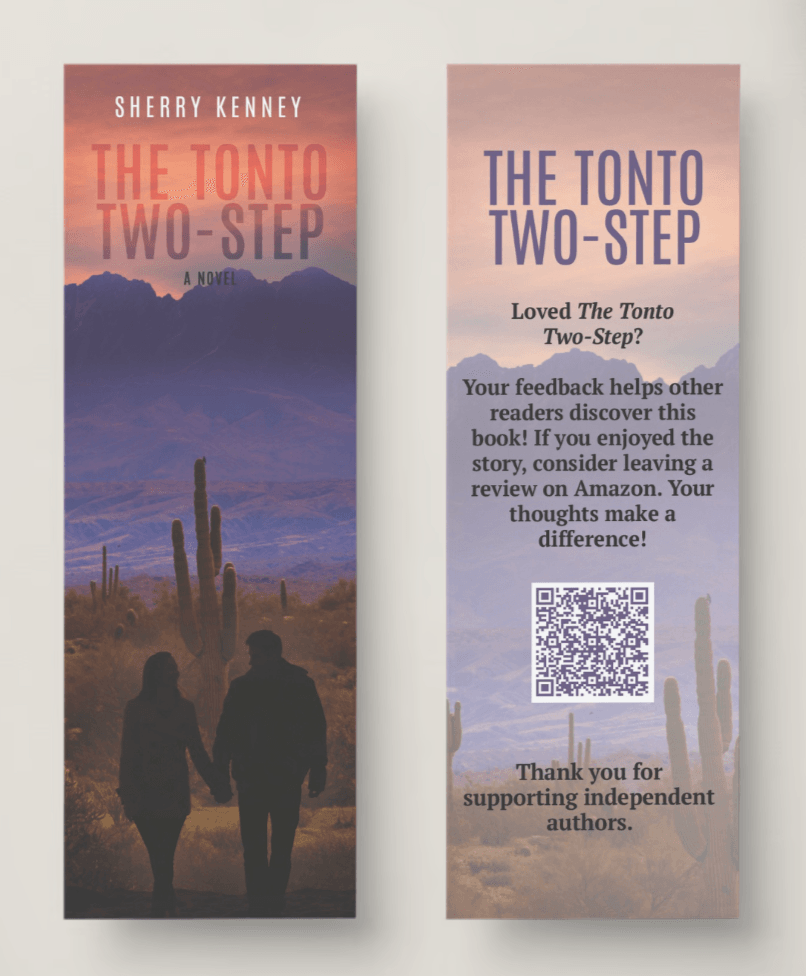
Create QR Code:
https://www.loom.com/share/5fd2c9fb2e2d4d2c9a2178f19c244cd6?sid=0b3dd182-6070-46d1-9d84-28a91bb2f6b6
Follow the tutorial above to find your Amazon “Write a Customer Review” link.
Share this link with anyone you hope will write a review for you! Or turn it into a QR code and share on your flyer, or bookmark.
Or hire us to do the design! Connect with Veronica for up to date design pricing, or a bundle that includes the:
Bookmark with QR code
Custom Author Signed Sticker Bookplate
Book One-sheet Flyer
PLUS Trade show Table-Top Retractable Banner!
Latest Blog Posts:
Browse Categories
Want to Discuss Your Book? Ready to Publish or Bring New Life to an Old Title?
Subscribe now.
Stay up-to-date on the latest self-publishing industry news, announcements from platforms like Amazon KDP/IngramSpark, and marketing tips. Get exclusive content and discounts on our products and services.
CATEGORIES
© 2009–2026 Journey Bound Publishing. A YellowStudios LLC Company. All rights reserved.